> Rendered: https://z29k.github.io/notabene/guide/pdf-export · Docs index: https://z29k.github.io/notabene/llms.txt
# PDF export
Turn any **page**, **folder**, **space**, or the **whole doc** into a polished document.
Two paths, same print-optimized rendering (cover page + clickable table of contents,
light-forced palette so dark-mode diagrams stay readable on paper).
## In the browser — zero dependencies
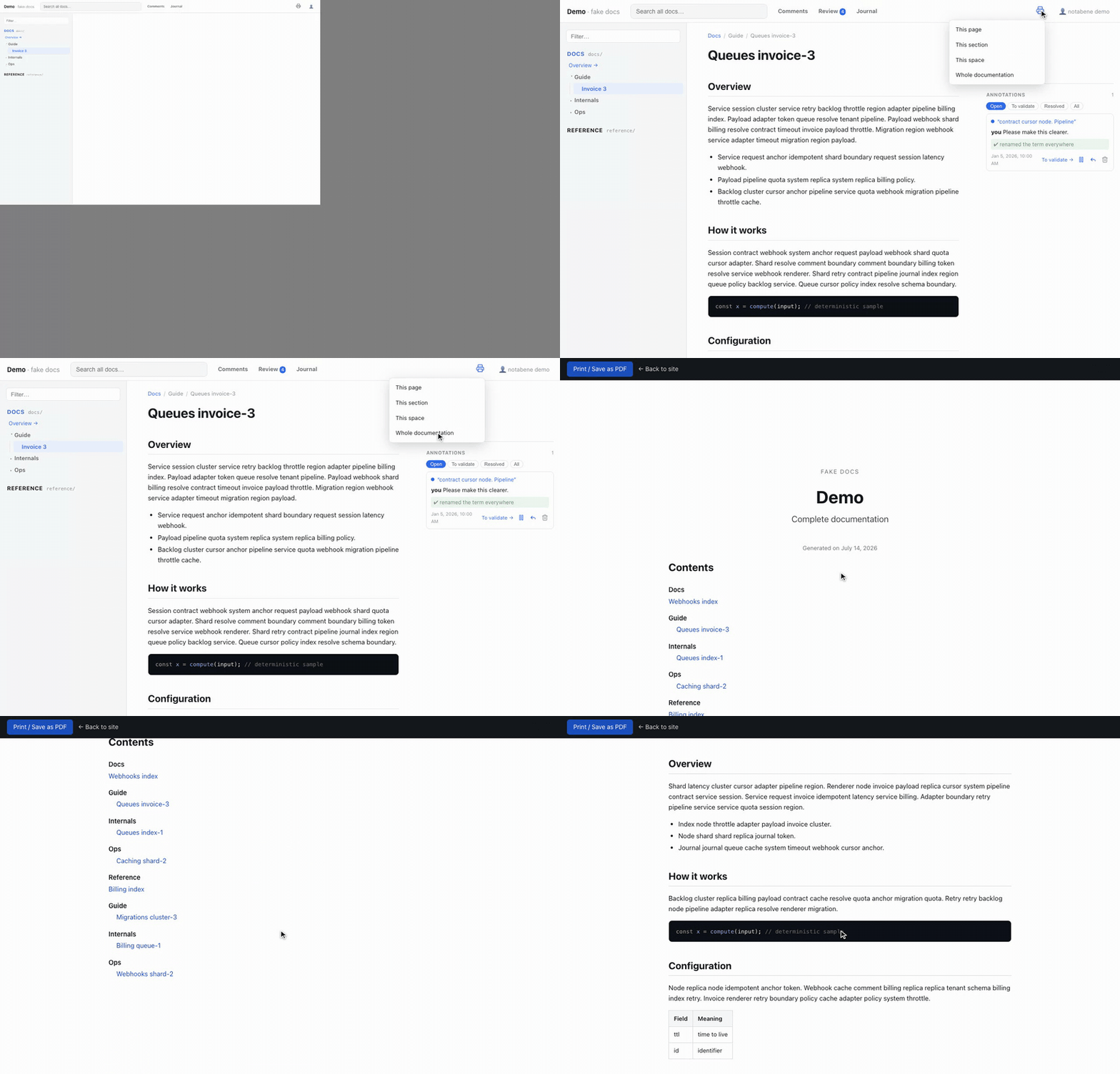
The header's **Export PDF** menu offers the current page, its folder, its space, or the
whole doc. It opens a `/print` view in a new tab and triggers your browser's *Save as
PDF* automatically. The `/print` routes are static — they exist in dev **and** in any
build (including [public sites](./publish/index.md)).
## `notabene pdf` — the high-fidelity artifact
```bash
notabene pdf --scope space:docs --out docs.pdf
```
Builds the site, drives headless Chromium, and writes a PDF with a **real bookmark
outline** (the navigable side panel) and running page numbers. Flags: `--scope
doc|space:K|folder:K/P|page:K/I`, `--locale`, `--out`, `--chrome`.
Requires the optional `puppeteer` peer dependency (or `puppeteer-core` plus `--chrome
` / `PUPPETEER_EXECUTABLE_PATH` pointing at a system Chrome):
```bash
npm i -D puppeteer
```
## Tuning
```js
pdf: { enabled: true, pageSize: "A4", margin: "18mm" },
```
`enabled: false` hides the Export menu and drops the `/print` routes. `pageSize`/`margin`
feed the `@page` CSS box. Covers and section titles reuse the sidebar's
[labels and ordering](./configuration.md#sidebar-labels--ordering), so the PDF reads in
the same order as the site.