 notabene
 notabene
nota bene — the margin mark that means “note this well.”
Leave notes in the margins of your repo’s docs — right on the rendered page — then let your AI agent apply them, resolve the threads, and journal what changed & why. The anchored comment is the instruction: located, unambiguous, nothing to quote. No SaaS, no database — everything lives as JSON in your git.
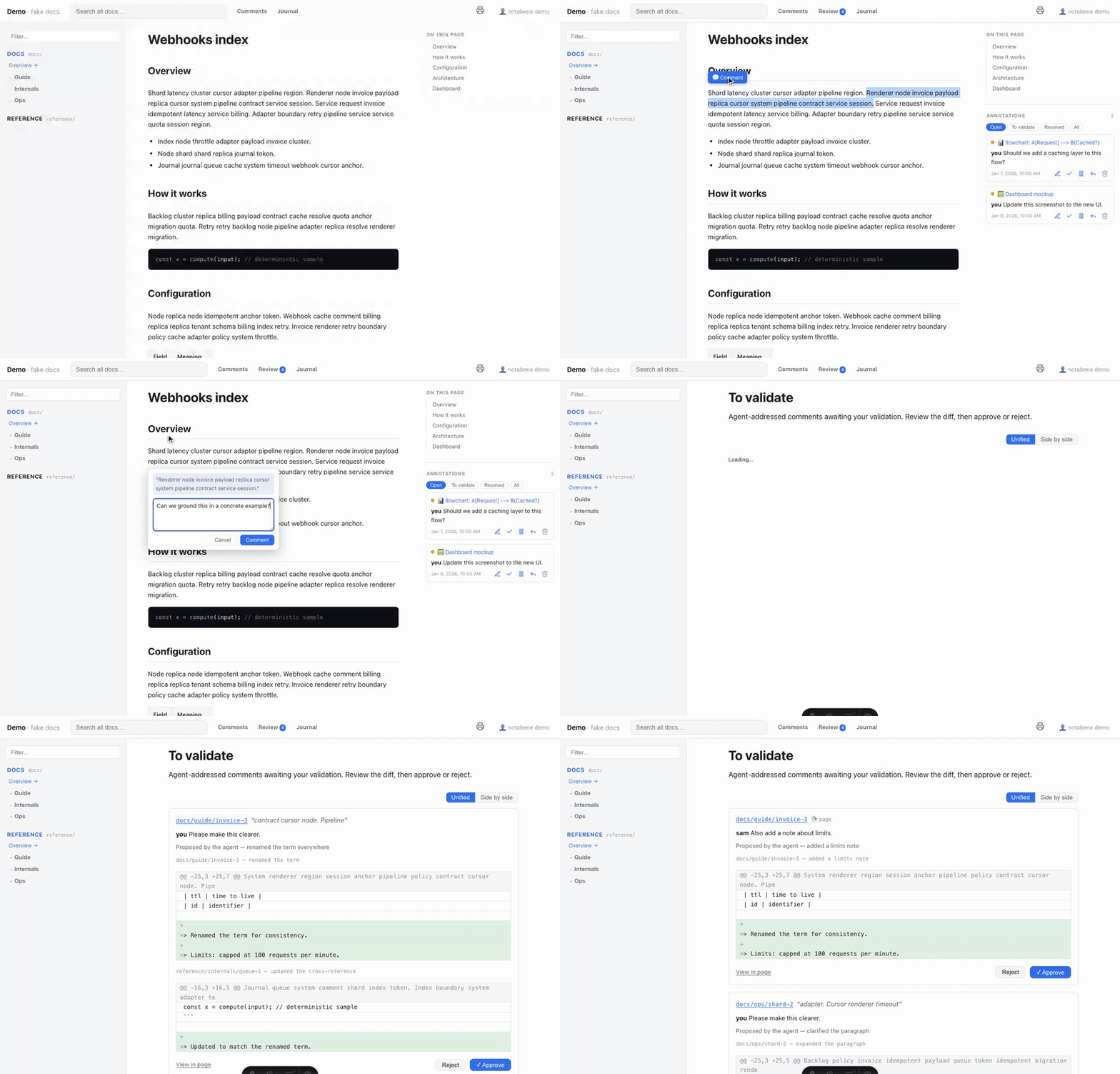
The loop, in 30 seconds
npx notabene dev→ open the site, select any text → leave a comment (or comment a whole page, diagram or image).- Tell your agent: “address the doc comments.”
- The agent reads
.notabene/, edits the docs faithfully, marks each comment resolved, and appends a journal entry — or, in approve mode, waits for you to validate the real git diff of every edit. - Read the trail at
/journal.
Start here
- Install — the npm renderer, the Claude Code plugin, or both; then your first review end to end.
- Configuration — one data-only file: spaces, format, sidebar, review mode.
Go deeper
- The review loop — the file-I/O-first protocol any agent can follow, and the human-in-the-loop approve mode.
- Customize the look — branding,
--nb-*design tokens, your own stylesheet, fonts, code and diagram themes. - Navigation links — send readers back to the repo, the releases, the product: topbar, a sidebar block, a site footer.
- Multi-language docs — clean prefixed URLs, a switcher, per-language comments.
- PDF export — print-ready views, bookmarked PDFs.
- Publish a public site — the read-only, agent-readable
static build. This site is one: it ships
/llms.txt, a Markdown twin per page, and was deployed by the GitHub Pages workflow.
Exhaustive tables live in the Reference: the CLI, every config key, the frontmatter, the store contract and the safety model.